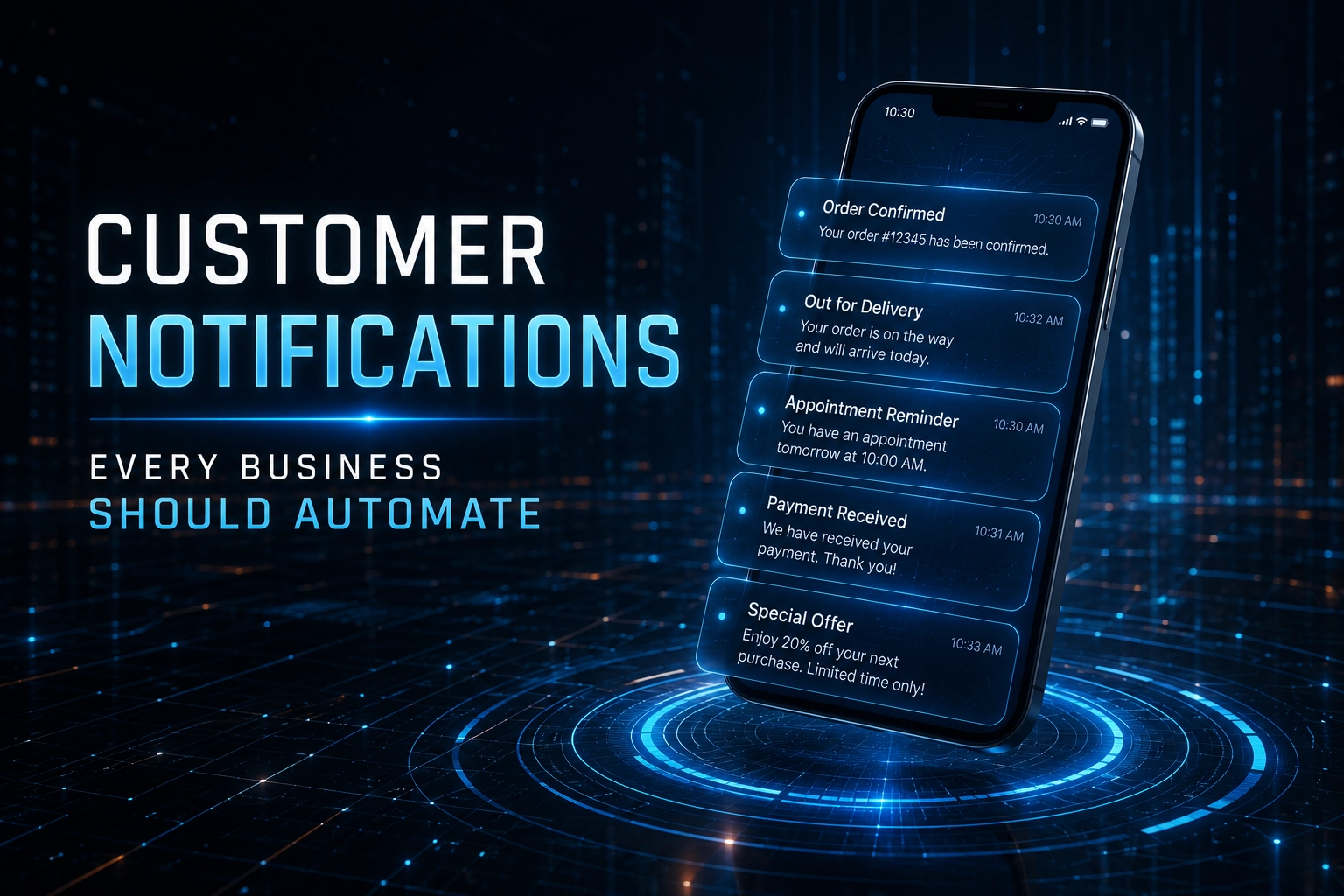
5 Customer Notifications Every Business Should Automate
Customer expectations have changed dramatically over the past decade. Whether someone is waiting for a delivery, attending an appointment or making a payment, they expect to receive timely updates without having to ask.
For businesses, meeting these expectations manually isn’t realistic. As customer databases grow and communication becomes more frequent, automation becomes essential.
SMS remains one of the most effective channels for customer notifications because messages are delivered almost instantly and are typically read within minutes. Unlike email, SMS doesn’t rely on internet connectivity or crowded inboxes, making it ideal for important, time-sensitive communication.
In this article, we’ll explore five customer notifications every business should consider automating and why they improve both customer experience and operational efficiency.
Why Businesses Are Automating Customer Notifications
Automated notifications remove repetitive manual tasks while ensuring customers receive consistent, timely updates.
Instead of relying on staff to send reminders or confirmations individually, businesses can trigger bulk SMS messages automatically when specific events occur.
The benefits include:
- Faster communication
- Reduced administrative workload
- Improved customer satisfaction
- Fewer missed appointments
- Better payment collection
- Increased operational efficiency
- Consistent customer communication
Automation allows businesses to spend less time managing communication and more time serving customers.
1. Appointment Reminders
One of the most valuable uses of automated SMS is appointment reminders.
Healthcare providers, salons, consultants, vehicle service centres and professional service businesses all lose valuable time and revenue when customers fail to attend scheduled appointments.
A simple reminder sent 24 hours before an appointment can significantly reduce no-shows.
Example:
Reminder: Your appointment with ABC Dental is tomorrow at 10:30. Reply YES to confirm or call us if you need to reschedule.
These reminders benefit both customers and businesses by improving attendance while reducing scheduling disruptions.
2. Order and Delivery Updates
Customers want to know where their order is.
Without proactive communication, businesses often receive unnecessary support calls asking for delivery updates.
Automated SMS notifications can be triggered throughout the fulfilment process, including:
- Order confirmation
- Payment received
- Order dispatched
- Out for delivery
- Delivered successfully
Keeping customers informed builds confidence and reduces pressure on customer support teams.
3. Payment Reminders and Confirmations
Late payments create unnecessary administrative work for many businesses.
Automated SMS notifications can remind customers about upcoming payment dates while also confirming successful payments once they have been received.
Examples include:
- Subscription renewals
- Monthly account payments
- Insurance premiums
- School fees
- Municipal accounts
- Loan repayments
These messages help customers stay informed while improving collection rates.
4. Account and Security Notifications
Many organisations use SMS to communicate important account activity.
Examples include:
- One-time passwords (OTPs)
- Password reset verification
- Login alerts
- Transaction confirmations
- Suspicious account activity
- Account verification
Because these notifications are time-sensitive, SMS provides an immediate and reliable communication channel.
5. Service Updates and Important Announcements
Businesses often need to communicate unexpected changes quickly.
Examples include:
- Planned maintenance
- Service interruptions
- Office closures
- Schedule changes
- Emergency announcements
- Product recalls
- Event updates
Unlike social media or email, SMS ensures customers receive important information directly on their mobile devices.
Why SMS Continues to Outperform Other Channels
While businesses communicate through multiple channels, SMS remains one of the most immediate.
Customers don’t need to install an app or regularly check their inbox for messages.
SMS offers several advantages:
- High visibility
- Immediate delivery
- Broad mobile compatibility
- Reliable communication
- Simple customer experience
This makes it particularly valuable for urgent notifications where timing matters.
Which Industries Benefit Most?
Almost every industry can improve customer communication through automated SMS notifications.
Examples include:
Healthcare
Appointment reminders, prescription collection notifications and vaccination reminders.
Retail & Ecommerce
Order confirmations, delivery tracking and click-and-collect notifications.
Financial Services
Payment confirmations, OTPs and fraud alerts.
Education
School announcements, fee reminders and event notifications.
Hospitality
Booking confirmations, check-in reminders and reservation updates.
Professional Services
Consultation reminders, quote follow-ups and project updates.
Integrating SMS Into Your Business Systems
The real power of automated notifications comes from integrating SMS into your existing business processes.
Many businesses connect SMS with:
- CRM systems
- Ecommerce platforms
- Booking software
- Accounting systems
- ERP platforms
- Customer support software
Once connected, notifications can be triggered automatically based on customer actions without requiring manual intervention.
For example:
- A customer places an online order.
- The ecommerce platform triggers an order confirmation SMS.
- When the courier updates the delivery status, another SMS is sent automatically.
- Once delivery is complete, the customer receives a confirmation message.
This creates a seamless customer experience while reducing administrative workload.
Best Practices for Automated Customer Notifications
To maximise effectiveness:
Keep Messages Concise
Customers should understand the purpose of the message immediately.
Send Notifications at the Right Time
Automation should be event-driven rather than scheduled arbitrarily.
Personalise Where Appropriate
Including a customer’s name or appointment time makes messages more useful.
Avoid Unnecessary Messages
Only send notifications that genuinely help customers.
Monitor Delivery Performance
Regularly reviewing delivery reports helps ensure customers continue receiving important updates.
Final Thoughts
Customers appreciate businesses that keep them informed.
Whether it’s reminding someone about an appointment, confirming a payment or providing delivery updates, automated SMS notifications improve communication while reducing manual administration.
Rather than replacing other communication channels, SMS complements them by providing immediate visibility when information matters most.
As businesses continue to automate customer journeys, SMS remains one of the simplest and most effective ways to deliver timely, reliable notifications.
Frequently Asked Questions
What Are Automated Customer Notifications?
Automated customer notifications are SMS messages that are triggered automatically when specific events occur, such as appointments, payments, deliveries or account activity.
Why Do Businesses Use SMS for Customer Notifications?
SMS messages are delivered quickly and are usually read within minutes, making them ideal for time-sensitive communication.
Which Customer Notifications Should Be Automated First?
Most businesses begin by automating appointment reminders, order confirmations, delivery updates, payment reminders and account security notifications.
Can SMS Notifications Integrate With Existing Business Software?
Yes. Many SMS platforms integrate with CRM systems, ecommerce platforms, booking software, ERP systems and other business applications using APIs.
Are Automated SMS Notifications Suitable for Small Businesses?
Yes. Businesses of all sizes can automate routine customer communication to save time, improve customer experience and reduce administrative workload.
Choose a Bulk SMS Provider You Can Trust
Not all Bulk SMS providers are created equal. WinSMS has helped South African businesses communicate reliably for over 20 years with transparent pricing, no expiry on credits, local support, powerful SMS APIs, and flexible messaging solutions designed to scale with your business.
Sign Up for a Free TrialNo contracts • No expiry • Local SA support
Supported Networks: Vodacom · MTN · Cell C · Telkom Mobile